
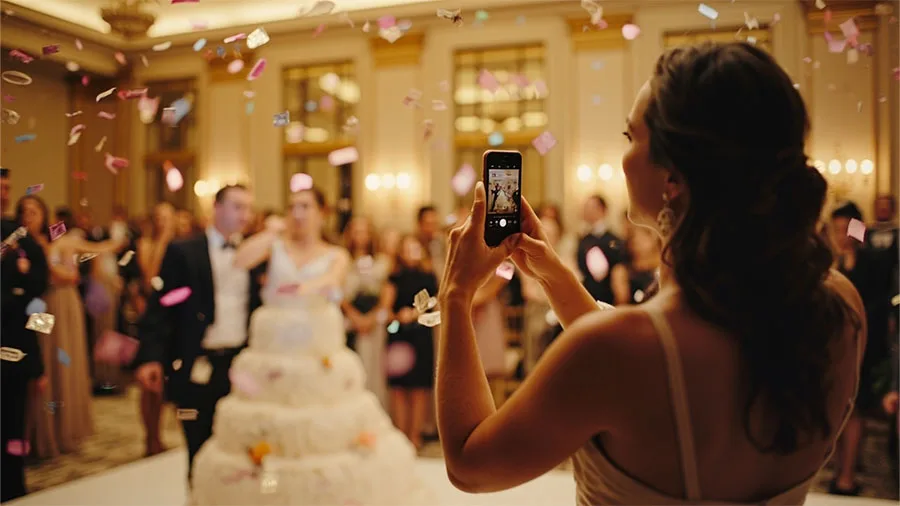
Weddings are full of unforgettable moments — from the first kiss to the wildest moves on the dance floor. Professional photographers capture the big scenes, but it is often the guests who catch the candid, behind-the-scenes gems. So how do you collect those spontaneous photos from everyone at your wedding?
The answer: a QR code for wedding photos.
What is a wedding QR code for photos?
A wedding QR code is a simple way to gather photos from your guests in real time. Guests scan it with their phone camera and land straight on your wedding's upload page, where they can add their photos and videos. No apps, no sign-ups — just point, tap and share.
How it works
- Create your event album on a platform like Kukuva.
- Get your QR code. Kukuva makes one for your album and lets you design it, with printable table cards and an A4 poster.
- Display the QR code at your venue — on the tables, on signs, next to the guest book or in the wedding programme.
- Guests scan and upload photos straight from their phones.
- Photos appear on a live photo wall during the party and stay in your shared album for later.
It is an easy, guest-friendly way to take the stress out of chasing everyone's pictures after the wedding.
Why use a QR code for wedding photos?
- Effortless for guests: no app to download and no account to create. It works on any phone.
- Real-time sharing: photos can appear on a screen at the venue within seconds, and they are all kept in one album.
- Candid moments: guests catch the things your photographer might miss.
- Everyone takes part: from grandma snapping the first dance to a friend taking sunset portraits.
- Easy to keep: every photo is in one place, ready to download as a ZIP after the wedding.
Creative ways to display the QR code
- Welcome sign: greet guests with the QR code right at the entrance.
- Table cards: add a card to each table centrepiece.
- Photo booth corner: pair it with props and a sign to encourage fun uploads.
- Thank-you cards: add the QR code so guests can send the photos they forgot to share on the day. Keep in mind that uploads stay open for a set time — 9 days on Plus and 30 days on Pro.
Privacy and moderation
Worried about privacy? With Kukuva you can approve each photo before it appears on the wall, hide or delete anything, and protect the album with a password. You decide what is shown and shared.
A keepsake that grows with you
Beyond the professional photos, your guests' pictures tell the full story — from the emotional to the hilarious. With a wedding QR code you do not have to miss a single moment. It turns every guest into a memory-maker.
See how Kukuva works for weddings or compare the packages.